Your new Agent-First CMS
You don't need
a real CMS.
Let your agent handle it. Simple setup. One HTML attribute in your code. Full content round-trip. Zero everything else.
// make my h1 editable in the Adlib admin
<h1 data-adlib-cms="hero.headline">
  Your Headline Here
</h1>
Fill-in-the-blanks
With Adlib, your HTML is your template. No new language to learn, just your content.
Password-protected admin
Just like the other guys, an easy way for you (or your client) to edit content.
GitHub-backed workflow
All your content and changes are tracked with GitHub, just like the pros use.
Host almost anywhere
Push and host your site with Netlify, Cloudflare, or private VPS with ease.
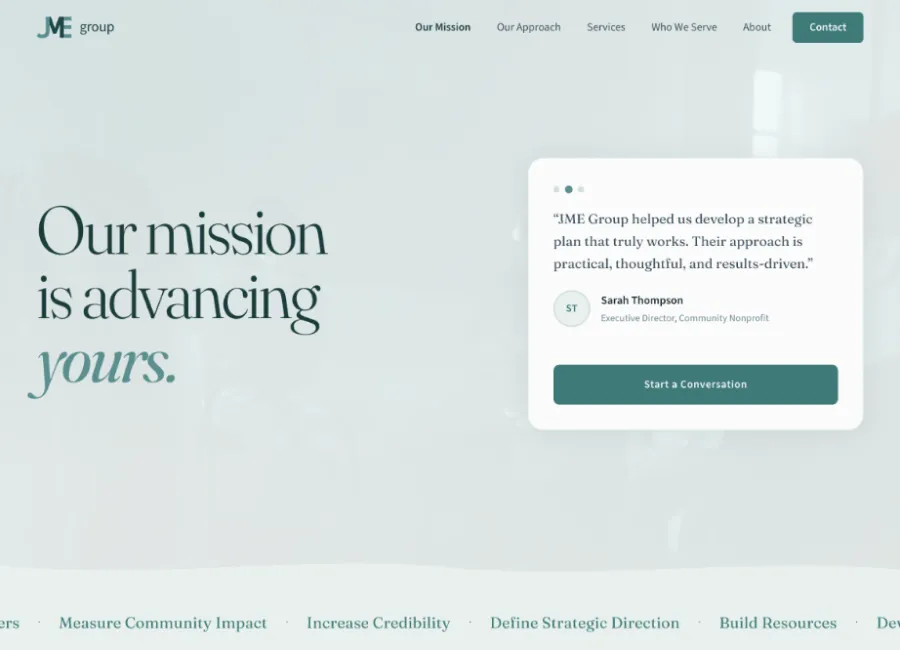

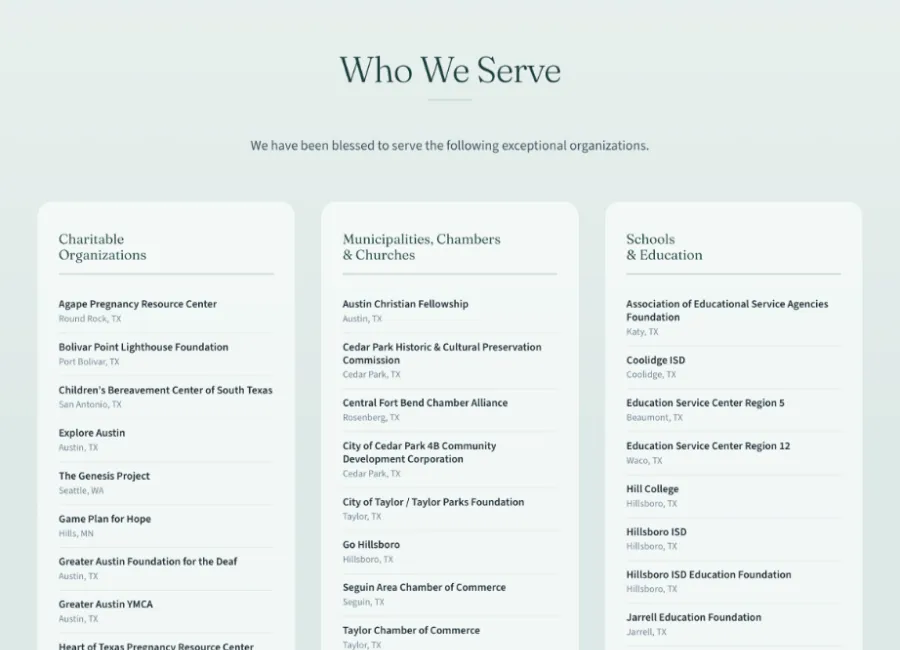
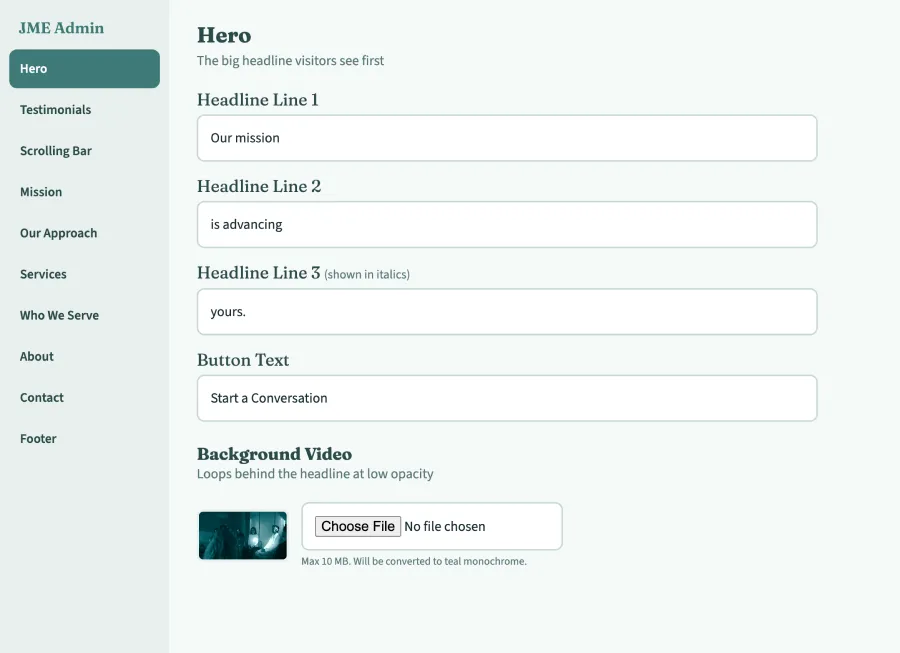
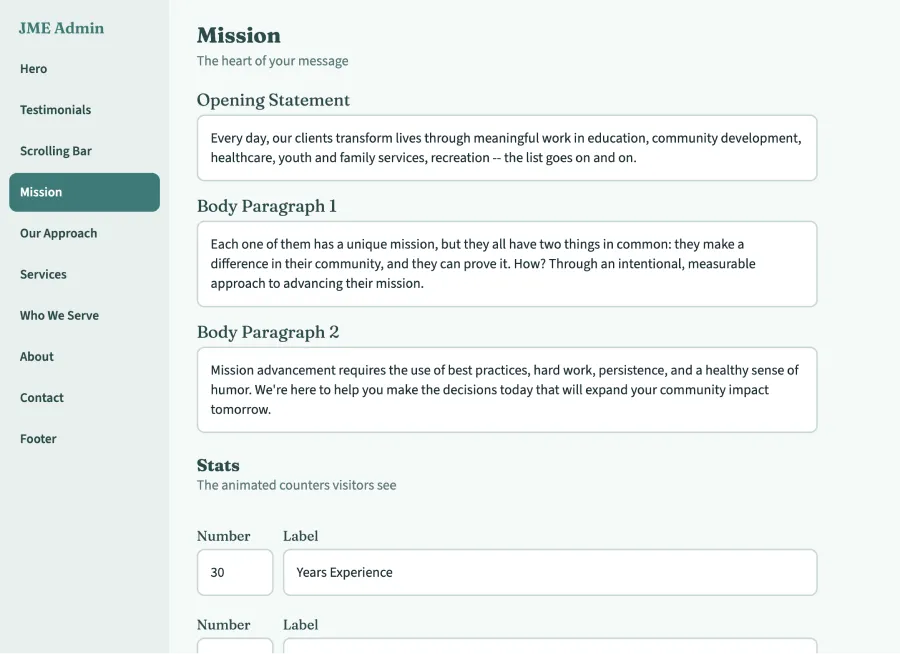
Four steps.
Three are automatic.
Annotate Agent
Use an agent to add data-adlib-cms attributes to your HTML. One attribute per content field that you want to show up in the admin.
Adlib It
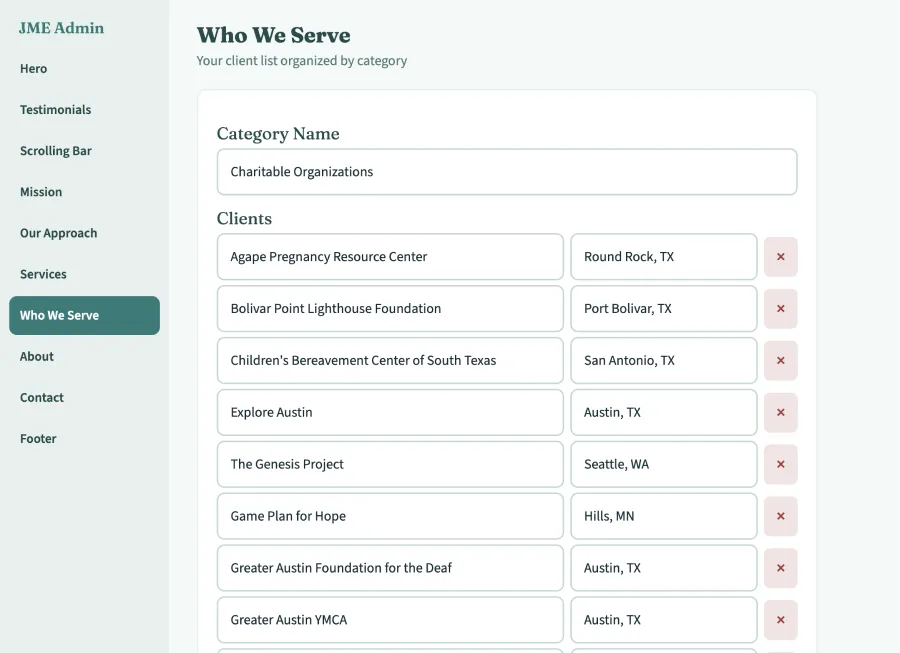
Login and marvel at your new Adlib admin. Each and every field, with simple editing, file uploads, and light WYSIWYG from Quill.js.
Ship Updates
Content changes are automatically pushed to GitHub for safe keeping. Changes should be live on your site in under 60 seconds.
Repeat
HTML → Agent → Admin → Edits → HTML. Deterministic — same content in, same page out. It's that easy, just fill in the blanks.
Zero everything.
No frameworks. No npm install. Just Node and your HTML.
The HTML is the config. Let your agent do it.
Content lives in static files. Full version control with git.
No CMS UI to build. Use ours or use your agent.
Remove the attributes. Take your code and go. You still have a working site.
If you can write an HTML attribute, you already know adlib.
Built for agents.
And the busy humans using them.
Traditional CMSs give your client a whole website builder they'll never learn. Adlib just gives them the blanks — headlines, paragraphs, buttons — as simple text fields they fill in and save. No dashboard to figure out. No way to accidentally break your design. You built the site, they ad-lib the words. That's the whole relationship.
Ship your site
tonight.
Build a site and fill in the blanks later.
$ node extract.js index.html > content.json
→ 23 fields extracted. Done.